

Be honest—how many times have you downloaded a new app, bought a planner, or tried a new tool, convinced it would change your life… only to never use it again? We’ve all been there! With so many new productivity tools constantly being introduced, it’s easy to jump on board without stopping to ask: Is this actually worth my time?
Before you get sucked into another new tool, I want to share my simple process for evaluating whether a tool is worth trying—and how to test it without wasting hours of your life. Follow these five steps to make smarter choices and avoid digital clutter!
Ask: What’s the Purpose of This Tool?
Before you even think about trying something new, define exactly what the tool is meant to do. If the creators themselves can’t clearly explain its purpose, that’s a red flag. A tool should have a specific, clear function—otherwise, it’s likely to overpromise and underdeliver.
Identify the Problem It’s Solving for YOU
Just because something is popular doesn’t mean you need it. Ask yourself: Is this solving a real problem I’m currently struggling with? If not, walk away. The fastest way to eliminate unnecessary tools is to focus only on those that address a specific pain point in your life.
Check If You Already Have a Solution
Before downloading yet another app or buying another planner, consider if you already have something that does the job. Sometimes, a tool you already use can solve the problem with a small tweak—saving you time and effort in learning something new.
Time-Box Your Trial Period
If you decide to test a new tool, don’t go all in right away. Set a limit on how much time you’ll spend testing it (e.g., 30-45 minutes). Focus on the one feature that solves your biggest problem before getting distracted by customization and extra features. At the end of your test period, decide: Is this worth fully integrating into my workflow? If not, delete it and move on.
Integrate It Into Your System (or Let It Go)
If you decide to keep the tool, set up a system to ensure it becomes a useful part of your routine. Where does it fit into your workflow? How often will you check it? If you don’t establish a process for using it regularly, it’s just another place where information will go to die.
New tools can be helpful—but only if they’re actually solving a problem and fitting into your existing workflow. Before you jump on the next shiny thing, take a few minutes to evaluate it. By following these steps, you’ll avoid wasted time, digital clutter, and the frustration of scattered information. Be intentional with your tools, and you’ll get real results!

- The Growth Day App
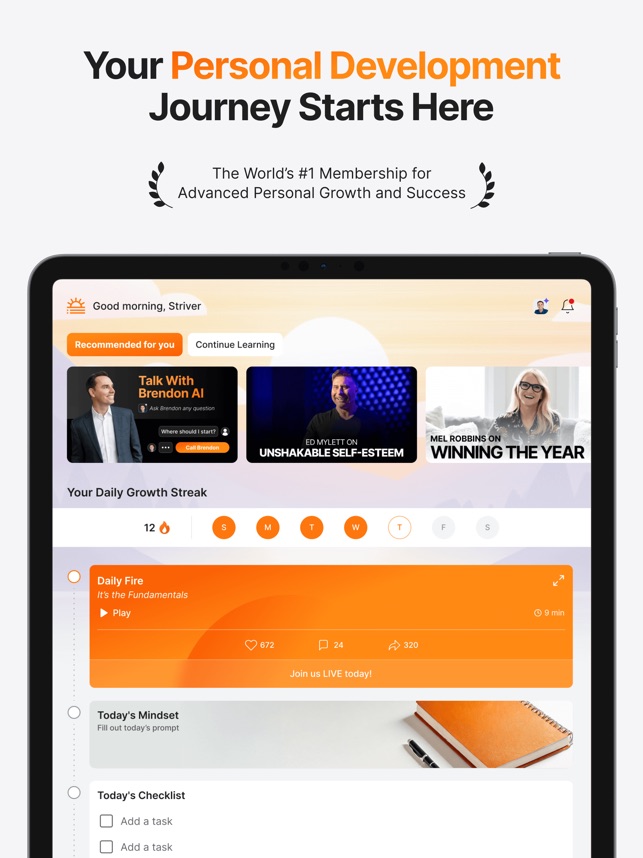
Lately, I’ve been using Growth Day every single day, and it has been incredible for my personal growth! It’s packed with daily coaching, journaling prompts, and motivational insights that have helped me be more intentional and reflective. If you’re looking for a simple way to focus on your mindset, personal development, and overall well-being, this app is a must-try! You can start with a 7-day free trial and run it through the process I shared above.

This Week’s Watch: Why I Broke Up With My Task List (and Became More Productive Than Ever)
We’ve all been told that task lists are the key to getting things done. But what if they’re actually keeping you stuck? For years, I relied on my to-do list, thinking it would help me stay on top of everything. Instead, I was constantly overwhelmed, exhausted, and ending each day feeling further behind.
Breaking up with my task list felt risky, but it changed everything. Now, I get more done while feeling less stressed—and in this week’s video, I’m sharing exactly how I did it. If you’re tired of feeling like your task list is running the show, this is a must-watch!
|


This Week’s Buzz: My Work Week Wrap-Up Routine
Ever find yourself rolling into Sunday night feeling anxious about the week ahead? That’s exactly why I created my work week wrap-up routine. Instead of carrying unfinished tasks and mental clutter into the weekend, I take around 30 minutes every Friday to close out my week, tidy up loose ends, and plan ahead—and let me tell you, it has been a game changer!
In this week’s Weekly Buzz, I’m sharing my exact process, including how I process emails, notes, and paperwork, do a quick digital cleanup, check messages, tie up last-minute tasks, and plan the upcoming work week so I can fully enjoy my weekend stress-free. If you’re tired of feeling behind before Monday even starts, watch this!
Remember, this video is only available until Wednesday—don’t miss it! Head to The Pink Bee app to watch now.

Friend, don’t forget—just 15 minutes of planning today can set the tone for your entire week. You’ve got the tools, you’ve got the tips, and now it’s time to take action. Let’s crush this week together!








Responses